SimplyWise: Receipts, Expenses
- 4.7
- Rating
- 100.00K
- Installs
- Free
- Price

 Analysis by App-foxy
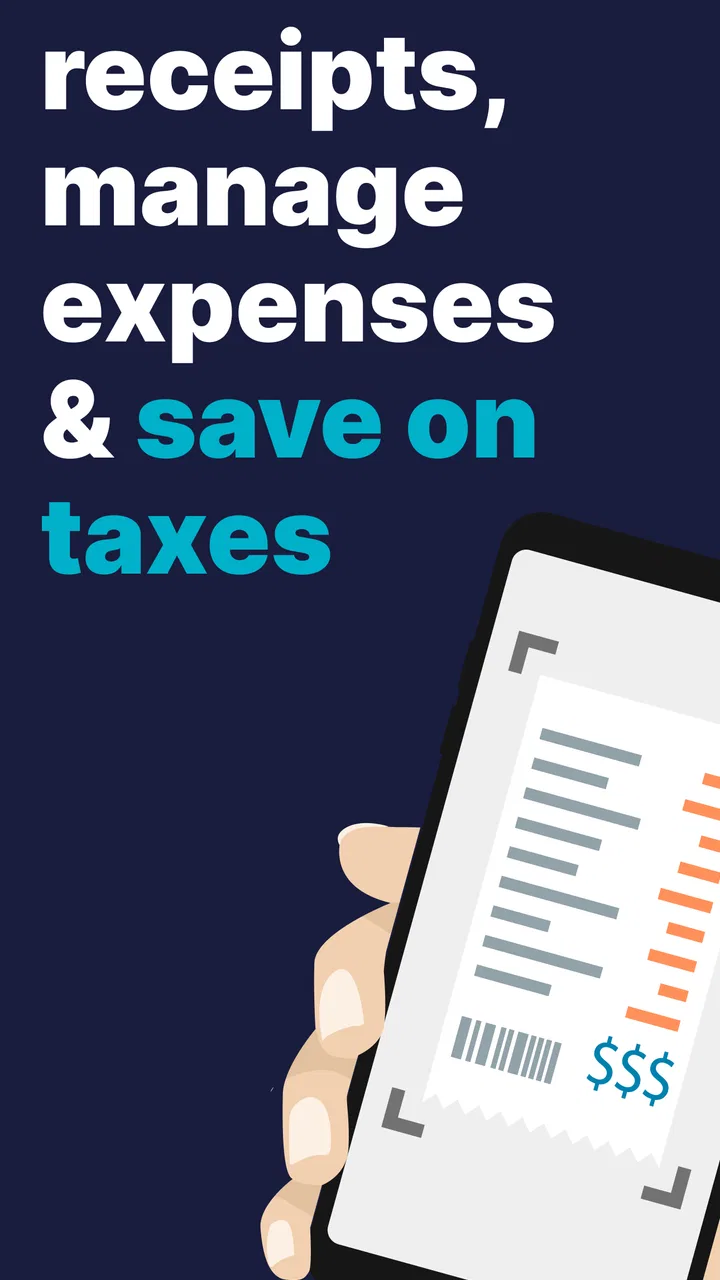
Keeping receipts organized is one of those small jobs that becomes surprisingly stressful when it is left until tax time. I have used SimplyWise with that problem in mind: not as a full accounting office in an app, but as a practical finance tool for turning paper receipts and everyday spending records into something easier to review. Its main appeal is the receipt-scanning workflow, especially for self-employed people who need a clearer trail of business expenses without maintaining a shoebox full of faded slips.
SimplyWise is a free finance app from SimplyWise, rated for Everyone and available for devices running Android 7.1 or later. It has a 4.7 average from around 11 thousand ratings, with more than 100 thousand installs. Those figures suggest that it has found a useful place among people who want lighter bookkeeping rather than a complicated accounting system. The current version is 0.83.0, and optional in-app purchases range from $0.99 to $449.99 per item, so I would pay attention to the purchase screen before assuming every part of the experience is included at no cost.
Why receipt scanning matters more than it sounds
The important capability here is not simply taking a picture of a receipt. The real benefit is reducing the gap between spending money and recording why that spending happened. When I put a receipt into a system immediately, I am much less likely to forget the purpose, lose the paper, or confuse a business purchase with a personal one later.
You May Also Like

 Blood Strike: 2.5 Anniversary
Blood Strike’s Loadouts Turn Every Drop Into a Tactical Gamble
A close look at Blood Strike’s custom loadouts: how fast access to signature weapons reshapes its battle royale rhythm, rewards preparation, and narrows the gap between fights.

 Pandora - Music & Podcasts
Pandora’s Music Is Easy to Start, but Harder to Recover
Pandora’s strength is its low-effort path from a seed to a station. Its weak spot is how much confidence it asks you to place in connection, setup, and quiet recovery.

 8 Ball Pool
 Is Built on Rivalries, Rematches, and Routine
A close look at the rivalries, rematches, shared routines, and unanswered safety questions that turn a quick pool match into a persistent mobile community.

 Samsung Music
’s Quiet Strength Is Playing What You Already Own
Its reach comes less from spectacle than from dependable access to a personal library. That simplicity is both the app’s strongest retention engine and its ceiling.

 AccuWeather: Weather Radar
AccuWeather Review: A Quick, Clear Forecast for Everyday Decisions
For everyday plans, the best forecast is the one you can understand quickly. AccuWeather makes rain timing, radar, and local conditions easy to act on, with a few trade-offs.

 Hill Climb Racing
Why Hill Climb Racing Still Turns Crashes Into One More Run
A tiny car, a bumpy hill and one more upgrade: Hill Climb Racing keeps resurfacing because its simple chaos makes every near-miss feel personal.
More From Our News Desk



That makes the app particularly relevant to freelancers, contractors, sole traders, and anyone who handles occasional business expenses without wanting a large bookkeeping package. A receipt scanner can be useful for office supplies, travel-related purchases, equipment, meals connected with work, and other costs that need to be reviewed before preparing records. The app’s role is to make those records more manageable; it should not be treated as a substitute for professional tax advice.
I also like the psychological effect of the workflow. Instead of thinking, “I need to do my bookkeeping this weekend,” I can treat each receipt as a tiny task completed at the moment of purchase. That change matters because bookkeeping usually becomes difficult through accumulation. A single unrecorded receipt is harmless. Dozens of them, mixed with personal purchases and missing notes, are much harder to reconstruct.
The strongest idea in SimplyWise is immediate capture, not elaborate accounting. If you already have a detailed accounting process, the app may feel limited beside it. If your current process is a wallet, a camera roll, and guesswork, it can create a much cleaner starting point.
What the scanner changes in a normal week
In practical use, I would open the app after buying something for work, scan the receipt while it is still flat and readable, and then check the captured details instead of blindly trusting the image. That last step is important. Receipt photos can include awkward lighting, folded paper, small print, or totals printed near other numbers. A quick review is faster than correcting a mistake months later.
The useful habit is to add context while the purchase is fresh. A receipt may show a date and total, but it may not explain whether the item was bought for a client project, general office use, or a mixed personal-and-work purpose. I would use any available organization fields carefully and keep a short note when the reason is not obvious. This is one of the less glamorous but more valuable parts of digital bookkeeping: the scan preserves evidence, while the note preserves memory.
For a self-employed user, I would not scan everything without thinking. I would first decide what belongs in the business record, then capture those receipts consistently. That keeps the eventual review focused and avoids creating a large pile of ambiguous entries. The app is most useful when it supports a simple rule: record business spending promptly, and separate questionable items for later review rather than pretending every purchase is straightforward.
A practical routine could look like this:
- Scan the receipt before it gets folded, stained, or misplaced.
- Check the merchant, date, and total shown in the captured record.
- Add a short explanation when the business purpose is not self-evident.
- Review recent expenses weekly instead of waiting for a filing deadline.
- Keep unusual or mixed-use purchases marked for a more careful decision.
This routine is more valuable than scanning a huge backlog once. Backlog scanning often creates a second problem: even if the app captures the documents, I may no longer remember why a purchase mattered. SimplyWise works best as a small daily or weekly behavior, not as a magic repair tool for years of disorganized paperwork.
A realistic example: the freelance designer’s Friday afternoon
Imagine I am a freelance designer who buys printer supplies, pays for a client meeting, and picks up a small piece of equipment during the same week. The receipts are different sizes, and one of them has a vague description. I scan each one as I receive it, inspect the totals, and add enough context to distinguish the client-related cost from the general office purchase.
On Friday, I review the week rather than trying to remember it from bank transactions alone. The bank statement can tell me that money left my account, but it usually cannot explain the business purpose in a way that will still be clear later. The receipt image and note work together: one supports the amount, while the other supports my memory of the transaction.
This is where the app can save real effort. It does not necessarily make the tax decision for me, and it should not encourage me to claim something merely because it has been scanned. Instead, it gives me a more orderly set of records to discuss with an accountant or use when preparing my own bookkeeping. That distinction is important for anyone who expects automatic tax correctness.
The best result comes when I review questionable items immediately. A meal, a mixed personal-and-business purchase, or equipment with both work and private use may need a separate judgment. Scanning first and deciding later is fine; forgetting to decide later is not. I would use the app to surface those items, not to hide the uncertainty behind a neat digital list.
Where it fits beside familiar alternatives
The usual alternative is keeping paper receipts in an envelope. That approach costs nothing, but it makes searching, sorting, and remembering context difficult. Paper can still be useful as a backup, yet it is a weak primary system when receipts arrive throughout the month. SimplyWise offers a more active workflow because the record can be created close to the purchase instead of after the fact.
Another common alternative is photographing receipts with the phone’s standard camera. A camera roll is quick, but it mixes financial documents with ordinary photos and usually provides no meaningful expense structure. Searching for a receipt later becomes a visual scavenger hunt. SimplyWise is more appropriate when I want the capture to belong to an expense-recording process rather than a general photo archive.
At the other end are full accounting platforms. They are usually better for users who need invoicing, bank reconciliation, payroll, detailed reporting, or collaboration with an accountant. SimplyWise is easier to approach if the immediate problem is receipts and basic expense tracking. The trade-off is depth: a focused receipt tool may be less suitable once a business needs an entire financial system.
I would also distinguish it from a spreadsheet. A spreadsheet gives excellent control over categories and calculations, but it depends on disciplined manual entry and careful file management. SimplyWise’s appeal is that the receipt itself becomes part of the record, reducing the need to type every detail from scratch. A spreadsheet may still be the better choice for someone who wants custom formulas or a highly specific reporting structure.
The friction points I would plan for
The first limitation is that scanning is not the same as verification. I would always inspect the captured information, especially on long receipts or documents with several numbers near the total. A fast workflow can become a false sense of security if I never check whether the important details were interpreted correctly.
The second is that organization still requires judgment. The app can help me collect and review expenses, but it cannot know the complete tax treatment of every purchase simply from an image. People with complicated deductions, multiple income sources, mixed-use assets, or strict reporting requirements may need accounting software or professional guidance alongside it.
There is also a cost consideration. The app is free to download, but optional purchases are listed between $0.99 and $449.99 per item. That wide range makes it sensible to read the exact terms of any upgrade before confirming it. For someone who only needs occasional receipt storage, a paid option may not be worthwhile. For someone whose unorganized records regularly consume hours, the value calculation could look different.
I would not recommend it as the only financial tool for a growing company. Once several people need access, expenses need approval, or reports must follow a formal accounting structure, a more complete business platform will probably be a better fit. SimplyWise is strongest when the user is the person making the purchases and reviewing the records, rather than when it has to coordinate a whole finance department.
Another trade-off is behavioral. The app cannot help much if I postpone every scan. Its value depends on consistency, and consistency is easier when the process takes place at the moment of purchase or during a short weekly review. Users who dislike documenting expenses at all may find that the app makes the obligation more visible without removing it.
Small habits that make the scanner more useful
I would create a fixed “receipt check” moment after a shopping trip or workday. Rather than scanning randomly, I would place receipts in one temporary spot and process them before they spread across my desk or bag. This keeps the app connected to a repeatable routine and makes missing documents easier to notice.
I would also avoid using vague notes such as “work expense.” A better note explains the connection: a client meeting, a replacement for a work device, or supplies for a particular project. The point is not to write an essay. It is to leave enough information that the transaction still makes sense when I am tired, busy, or looking at it much later.
For mixed purchases, I would pause rather than force them into a simple category. A receipt can be captured now and reviewed with other uncertain items later. That separation between recording and deciding is a useful safeguard: it preserves the document without turning an unclear expense into an unquestioned claim.
Finally, I would make a regular review part of the process. The scanner handles capture, but the review is where errors, duplicates, unclear descriptions, and personal purchases are found. A receipt app is most effective when it supports that second stage instead of becoming a digital drawer where documents disappear.
Who will get the most from SimplyWise?
I think it is best for self-employed people who want a straightforward way to collect receipts and keep business spending from becoming a monthly reconstruction project. It is also a sensible option for occasional freelancers, independent contractors, and side-business owners whose needs are more focused than those of a full company.
It may suit someone who is moving away from paper but is not ready to learn a complex accounting platform. The free entry point makes it easy to test the basic habit, while the Everyone age rating keeps the app broadly accessible. Its availability on older Android releases also makes it relevant to users who are not carrying a recent phone.
I would be more cautious if I needed advanced accounting controls, formal business reporting, payroll, detailed inventory, or a workflow shared by several employees. In those cases, I would choose a full accounting service and perhaps use a receipt-focused tool only if it fitted cleanly into that larger system. I would also skip it if I wanted the app to make tax decisions automatically; that is not a safe expectation for any scanner-based record keeper.
My final view after using the workflow
SimplyWise succeeds because it targets a very specific point of failure: the moment when a receipt is easy to lose and the reason for a purchase is easy to forget. Its receipt scanner and expense-tracking approach can turn scattered paperwork into a more reviewable record, provided I take a few seconds to check the capture and add useful context.
I would recommend it to a friend who is self-employed, keeps postponing bookkeeping, and mainly needs a better receipt routine. I would describe it as a practical first step rather than a complete finance department. The app is free to start, has a strong 4.7 average, and comes from SimplyWise, but the decision should ultimately depend on the scale of the user’s records and the need for more advanced accounting features.
My honest conclusion is simple: use SimplyWise when the problem is losing and forgetting receipts; choose something more powerful when the problem is running a complex business. Used consistently, it can make everyday expense tracking calmer and more reliable. Used occasionally without reviewing the captured details, it becomes little more than another place to store documents.
FAQs for SimplyWise: Receipts, Expenses
01What is SimplyWise: Receipts, Expenses used for?
SimplyWise: Receipts, Expenses is designed to help you organize receipts and keep track of everyday spending in one place. After adding receipts, you can review purchase details, search your records, and maintain a clearer overview of expenses. It can be useful for budgeting, reimbursements, tax preparation, or simply avoiding the need to keep piles of paper receipts.
02How does SimplyWise scan and organize receipts?
The app uses your device’s camera to capture a receipt, after which its recognition features attempt to identify important information such as the merchant, date, total, and purchased items. You can generally review or correct the extracted details when necessary. Scanning quality may depend on lighting, focus, receipt condition, and the layout of the receipt, so checking saved information is recommended.
03Can SimplyWise track expenses beyond scanned receipts?
SimplyWise is primarily focused on receipt and expense organization, but its usefulness extends beyond simply photographing paper documents. Depending on the current version and available features, you may be able to categorize purchases, search expense records, and review spending information. Users should check the app’s latest feature list because supported tracking and reporting tools can change over time.
04Is my receipt and financial information private in SimplyWise?
Before uploading or storing receipts, it is important to review SimplyWise’s privacy policy and the permissions requested by the app. Receipts can contain sensitive information, including shopping habits, addresses, payment details, or business data. The application may process information locally or through online services, so users should understand data handling, storage, sharing, and account deletion options before relying on it for confidential records.
05Is SimplyWise: Receipts, Expenses free to download and use?
The availability of free features, premium tools, subscriptions, or usage limits may depend on the version of SimplyWise and the platform where it is installed. You should check the Google Play Store or Apple App Store listing before downloading to see current pricing and in-app purchase details. Also review trial terms carefully, since subscriptions can renew automatically unless canceled according to the store’s rules.
Pros
- Scans receipts quickly and reduces manual expense entry.
- Useful search tools make past receipts easy to find.
- Supports digital organization of receipts in one place.
- Can help track spending patterns over time.
- Simple interface is approachable for first-time users.
Cons
- Receipt recognition may struggle with blurry or unusual layouts.
- Some useful features may require a paid subscription.
- Cloud storage raises privacy concerns for sensitive purchase data.
- Expense categories may need manual corrections after scanning.
- Advanced reporting options can feel limited for business users.

SimplyWise: Receipts, Expenses
Gallery